SnagScout
Menu
72/ 100

Minor friction

Signup Friction Score

slack.com

November 9, 2026 · First-time visitor, Skeptical developer · Full audit

Snags
6
Clicks to form
1
Form fields
1
Homepage load
0.1 s

Slack signup flow teardown. Tested on November 9, 2026 from https://slack.com/

6 snags in the Slack signup

  1. #1MajorJargonSkeptical developer · step 3

    Vague AI marketing headline

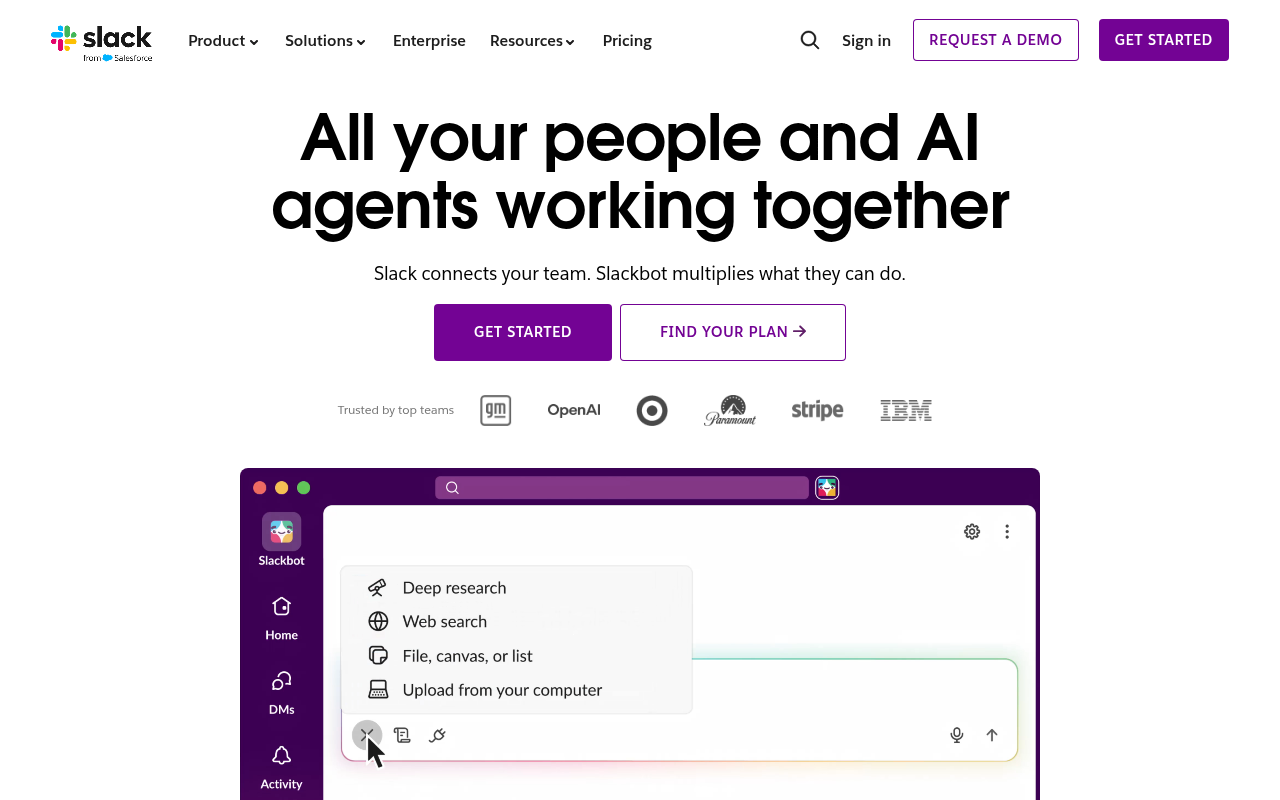
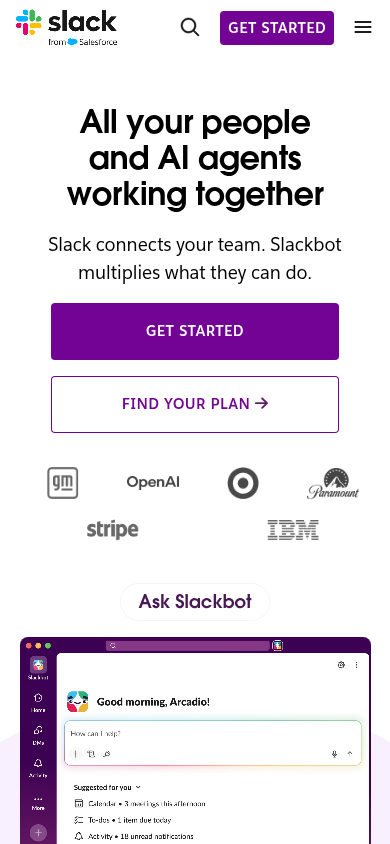
    Headline 'All your people and AI agents working together' and 'Slackbot multiplies what they can do' prioritizes trending buzzwords over explaining concrete features.

    Fix: Change the subhead to explicitly name what it does, e.g., 'Team chat, audio huddles, and automated bots in one workspace.'

  2. #2MajorMissing pricingSkeptical developer · step 3

    No pricing details or free tier mention above the fold

    The hero displays 'GET STARTED' and 'FIND YOUR PLAN →' without clarifying if there is an instant free plan or self-serve pricing.

    Fix: Add a caption below the CTAs stating 'Free plan available, upgrade anytime' to reassure devs before clicking.

  3. #3MajorCaptcha wallAll personas · step 5

    Captcha on the signup form

    A captcha script or widget guards the form.

    Fix: Use invisible risk scoring and only show a challenge to suspicious traffic.

  4. #4MinorJargonFirst-time visitor · step 2

    Heavy focus on AI agents over basic utility

    Headline 'All your people and AI agents working together' relies on trendy buzzwords rather than immediately showing the core communication problem it solves.

    Fix: Rephrase hero to anchor on team chat and productivity, such as 'Team chat, tools, and AI teammates working together in one place.'

  5. #5MinorMissing pricingFirst-time visitor · step 2

    No pricing hint or free tier mention

    The hero presents 'GET STARTED' and 'FIND YOUR PLAN' without specifying if it is free to try or paid only.

    Fix: Add microcopy below the buttons such as 'Free plan available, no credit card required'.

  6. #6MinorOtherSkeptical developer · step 5

    No navigation back to pricing or docs

    The isolated onboarding screen strips away top navigation to pricing, docs, or API details, trapping users in the signup flow before they can verify free tier limits.

    Fix: Include minimal header links to pricing and documentation so evaluating users can check tier details before committing an email address.

Would your signup beat Slack’s 72?

Audit your own signup, free

The 5-second test

Each persona looked at your homepage (desktop and phone) for a moment and answered four questions. Answers are graded against your page’s own copy: clear if it says so above the fold, vague if they had to guess, missing if it is not there.

First-time visitor

clarity 6.3/10

“It looks like a polished team hub, but it leans so heavily into AI agent buzzwords that the basic daily use case feels slightly buried.”

What does it do? clear
A team workspace and communication hub where coworkers and AI bots collaborate on tasks.
Who is it for? vague
Teams and businesses looking to coordinate work and use AI tools.
What does it cost? missing
not shown
What’s the next step? clear
GET STARTED

Skeptical developer

clarity 5.0/10

“It looks like standard workplace chat drowned in enterprise AI buzzwords, and I immediately want to find raw pricing and developer docs instead of sales hype.”

What does it do? vague
A team chat and collaboration tool heavily rebranded as an AI agent platform and bot interface.
Who is it for? vague
Corporate teams and enterprises coordinating work across departments.
What does it cost? missing
not shown
What’s the next step? clear
Click 'Pricing' in the top nav or 'FIND YOUR PLAN →' to see if there is a free tier without talking to sales.

Can an AI agent sign up for Slack?

C

Agent Signup Readiness

Can an AI agent (ChatGPT agent, Operator and the like) reach your account screen without a human?

  • No bot wall · Pages loaded for an automated browser (pass)
  • Signup form reachable · Found in 1 click(s) (pass)
  • No captcha · A captcha guards the form; agents are expected to stop there (fail)
  • Email signup available · An email or password path exists (pass)
  • No card up front · No card required to start (pass)
  • Not inbox-dependent · Password or link-based signup (pass)
  • Form in page HTML · The form only appears after JavaScript runs (fail)

Where the points went

How the score is computed
StartEvery run starts at 100100
First-impression clarity5.6/10 average on the 5-second test-11
Path to signup1 click from the homepage to the form0
Form length1 field before the first gate0
Snags4 distinct snag types-17
Homepage load0.1 s to load the homepage HTML0

The Slack signup, step by step

  1. Arrive · All personas · 0.1 s

    Opened slack.com

    The homepage HTML arrived in 0.1 s (HTTP 200).

    https://slack.com/

    Desktop screenshot at step 1Phone screenshot at step 1
  2. 5-second test · First-time visitor

    5-second test: 6.3/10 clarity

    It looks like a polished team hub, but it leans so heavily into AI agent buzzwords that the basic daily use case feels slightly buried.

    https://slack.com/

  3. 5-second test · Skeptical developer

    5-second test: 5.0/10 clarity

    It looks like standard workplace chat drowned in enterprise AI buzzwords, and I immediately want to find raw pricing and developer docs instead of sales hype.

    https://slack.com/

  4. Navigate · First-time visitor · 0.8 s

    Clicked “Get started”

    I see a clear 'Get started' option and want to begin creating an account.

    https://slack.com/get-started?entry_point=home_page

    Desktop screenshot at step 4
  5. Signup form · First-time visitor · 0.0 s

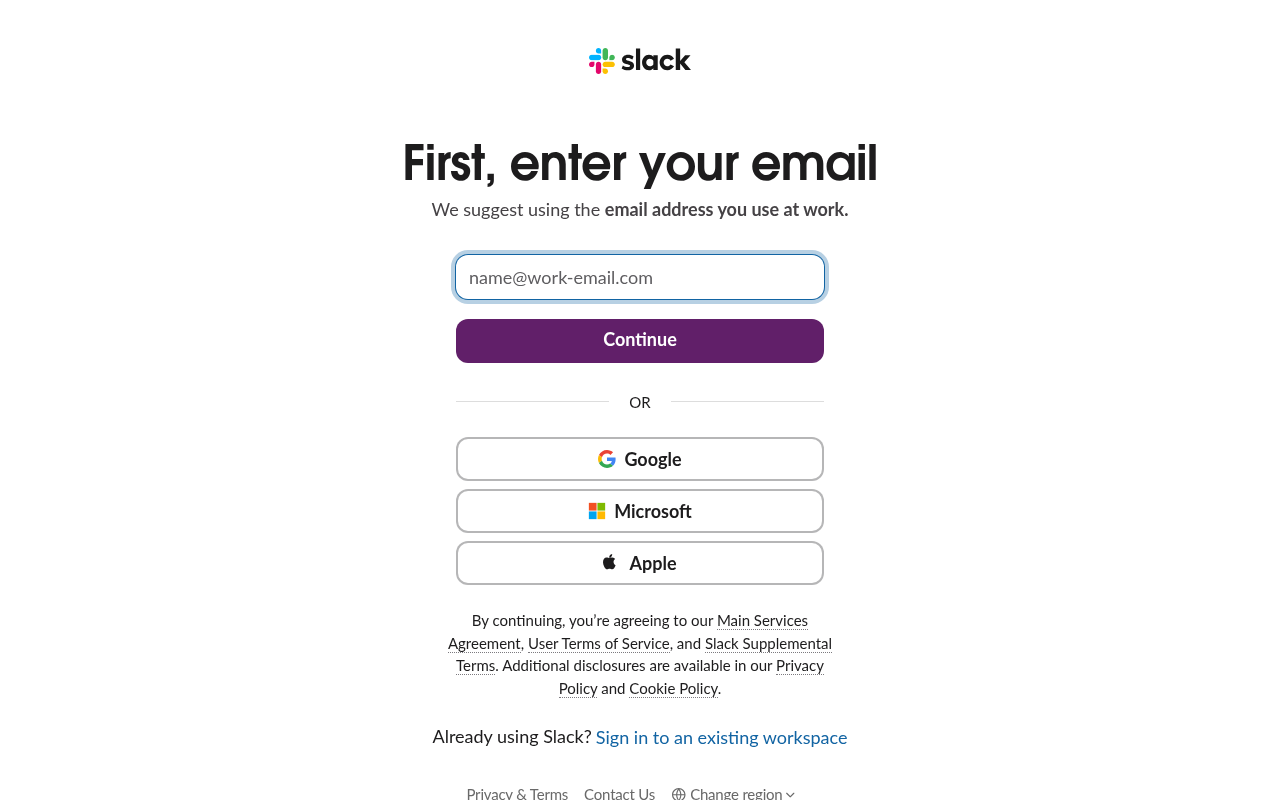
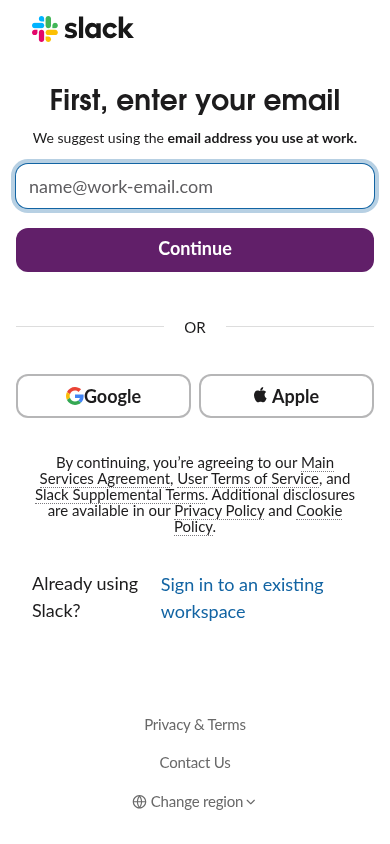
    Reached the signup form: 1 field, Google/Microsoft/Apple sign-in

    First-time visitor: Super quick and friction-free—I can just enter my email or tap Google and keep moving. Skeptical developer: The single-field form is clean, but pressuring me for a work email while hiding all navigation to pricing and docs raises my guard.

    https://slack.com/get-started?entry_point=home_page

    What the persona would type (test identity, never submitted)

    Email addressavery.testwell@example.com
    Desktop screenshot at step 5Phone screenshot at step 5
  6. Stop · First-time visitor

    Stopped before submitting (next gate: email verification)

    SnagScout never types into your live form or presses submit, so no test accounts or leads end up in anyone’s system. The table above shows what the persona would have typed.

    https://slack.com/get-started?entry_point=home_page

FAQ

How many steps does it take to sign up for Slack?

Our AI visitor reached the Slack signup form in 1 click from the homepage. The form showed 1 field before the first gate (next: email verification).

Does Slack require a credit card to sign up?

No card was requested on the signup form in our run.

Can you sign up for Slack with email, or only with Google/SSO?

An email path was available, alongside Google, Microsoft, Apple sign-in.

Can an AI agent sign up for Slack?

Slack gets an Agent Signup Readiness grade of C. A captcha guards the form; agents are expected to stop there. The form only appears after JavaScript runs

Are you from Slack? We only test public pages and never submit forms. You can ask us to remove this teardown.