SnagScout
Menu
76/ 100

Minor friction

Signup Friction Score

clickup.com

November 9, 2026 · First-time visitor, Skeptical developer · Full audit

Snags
5
Clicks to form
2
Form fields
3
Homepage load
0.1 s

ClickUp signup flow teardown. Tested on November 9, 2026 from https://clickup.com/

5 snags in the ClickUp signup

  1. #1MajorJargonSkeptical developer · step 3

    Vague AI marketing headlines

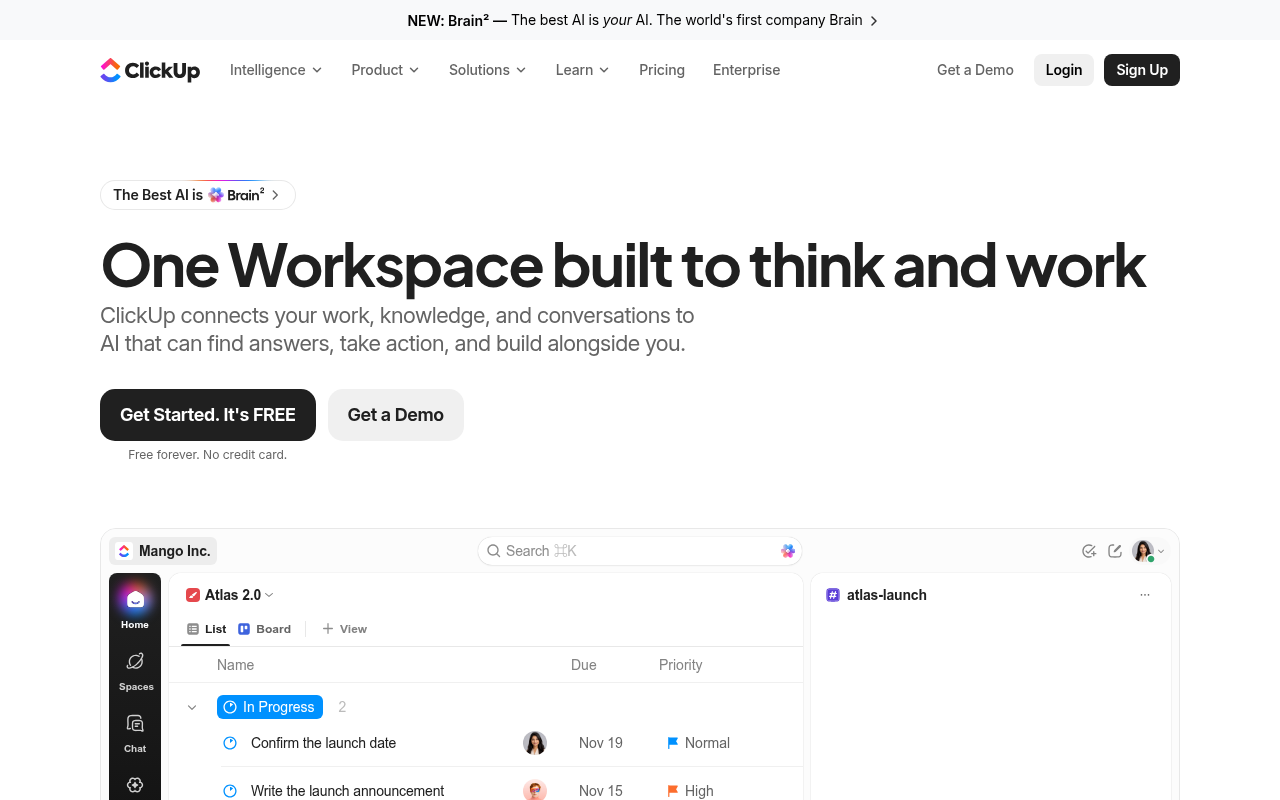
    Headlines like 'One Workspace built to think and work' and 'Brain²' obscure the core functional tools behind hype.

    Fix: Replace 'One Workspace built to think and work' with a clear description like 'Project management, docs, and issue tracking powered by AI.'

  2. #2MajorCaptcha wallAll personas · step 6

    Captcha on the signup form

    A captcha script or widget guards the form.

    Fix: Use invisible risk scoring and only show a challenge to suspicious traffic.

  3. #3MinorUnclear value propFirst-time visitor · step 2

    Target audience is implied rather than stated

    Headlines like 'One Workspace built to think and work' focus on broad branding without stating whether this is geared toward technical teams, agencies, or general businesses.

    Fix: Add a clear target audience indicator near the subhead, e.g., 'ClickUp connects fast-moving teams, their knowledge, and conversations...'

  4. #4MinorOtherSkeptical developer · step 6

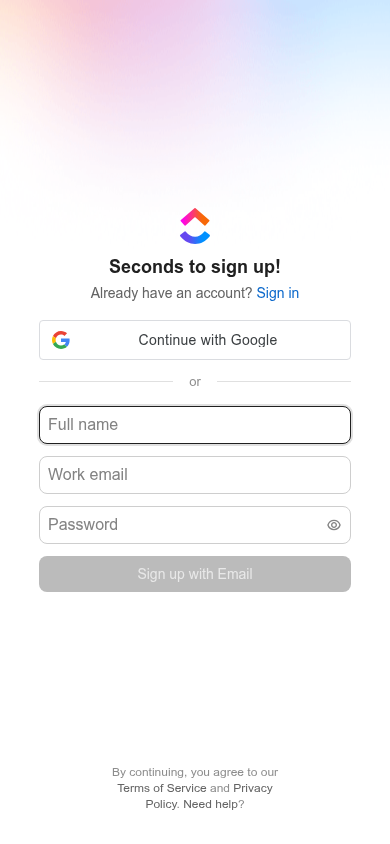
    No developer-focused SSO

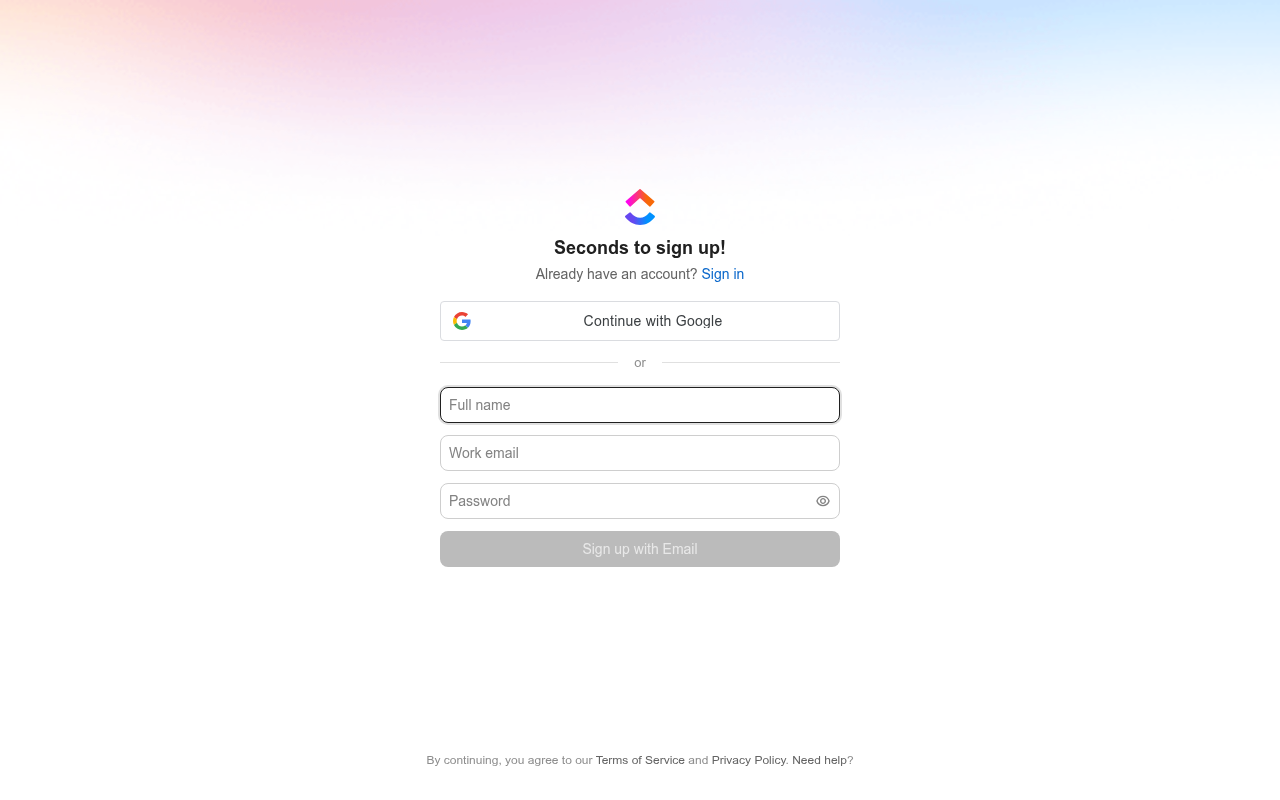
    Only Google SSO is offered alongside email/password; developers frequently prefer GitHub authentication.

    Fix: Add GitHub SSO alongside Google SSO.

  5. #5MinorOtherFirst-time visitor · step 6

    Zero product context on standalone signup view

    The view contains no headline or supporting copy explaining what ClickUp is for visitors arriving straight from external links.

    Fix: Include a brief one-line value proposition under 'Seconds to sign up!'

Would your signup beat ClickUp’s 76?

Audit your own signup, free

The 5-second test

Each persona looked at your homepage (desktop and phone) for a moment and answered four questions. Answers are graded against your page’s own copy: clear if it says so above the fold, vague if they had to guess, missing if it is not there.

First-time visitor

clarity 8.8/10

“It immediately looks like a slick, AI-infused replacement for Jira and Notion, but the mountain of features makes me wonder if it's too bloated for a fast-moving startup.”

What does it do? clear
An all-in-one productivity workspace combining project management, docs, chat, and AI agents.
Who is it for? vague
Teams and businesses looking to consolidate work tools, though no specific audience is named above the fold.
What does it cost? clear
Free forever (no credit card required).
What’s the next step? clear
Get Started. It's FREE

Skeptical developer

clarity 6.3/10

“It drowns basic project management utility in breathless AI buzzwords and marketing bloat.”

What does it do? vague
An all-in-one project management and workspace suite with AI task automation and search.
Who is it for? missing
Generic knowledge workers and product teams.
What does it cost? clear
Free tier available ('Free forever. No credit card.')
What’s the next step? clear
Click 'Pricing'

Can an AI agent sign up for ClickUp?

C

Agent Signup Readiness

Can an AI agent (ChatGPT agent, Operator and the like) reach your account screen without a human?

  • No bot wall · Pages loaded for an automated browser (pass)
  • Signup form reachable · Found in 2 click(s) (pass)
  • No captcha · A captcha guards the form; agents are expected to stop there (fail)
  • Email signup available · An email or password path exists (pass)
  • No card up front · No card required to start (pass)
  • Not inbox-dependent · Password or link-based signup (pass)
  • Form in page HTML · The form only appears after JavaScript runs (fail)

Where the points went

How the score is computed
StartEvery run starts at 100100
First-impression clarity7.5/10 average on the 5-second test-6
Path to signup2 clicks from the homepage to the form-4
Form length3 fields before the first gate0
Snags4 distinct snag types-14
Homepage load0.1 s to load the homepage HTML0

The ClickUp signup, step by step

  1. Arrive · All personas · 0.1 s

    Opened clickup.com

    The homepage HTML arrived in 0.1 s (HTTP 200).

    https://clickup.com/

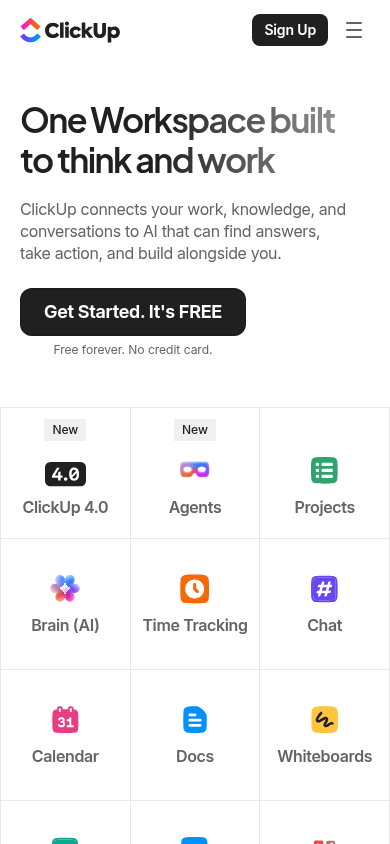
    Desktop screenshot at step 1Phone screenshot at step 1
  2. 5-second test · First-time visitor

    5-second test: 8.8/10 clarity

    It immediately looks like a slick, AI-infused replacement for Jira and Notion, but the mountain of features makes me wonder if it's too bloated for a fast-moving startup.

    https://clickup.com/

  3. 5-second test · Skeptical developer

    5-second test: 6.3/10 clarity

    It drowns basic project management utility in breathless AI buzzwords and marketing bloat.

    https://clickup.com/

  4. Navigate · First-time visitor · 0.0 s

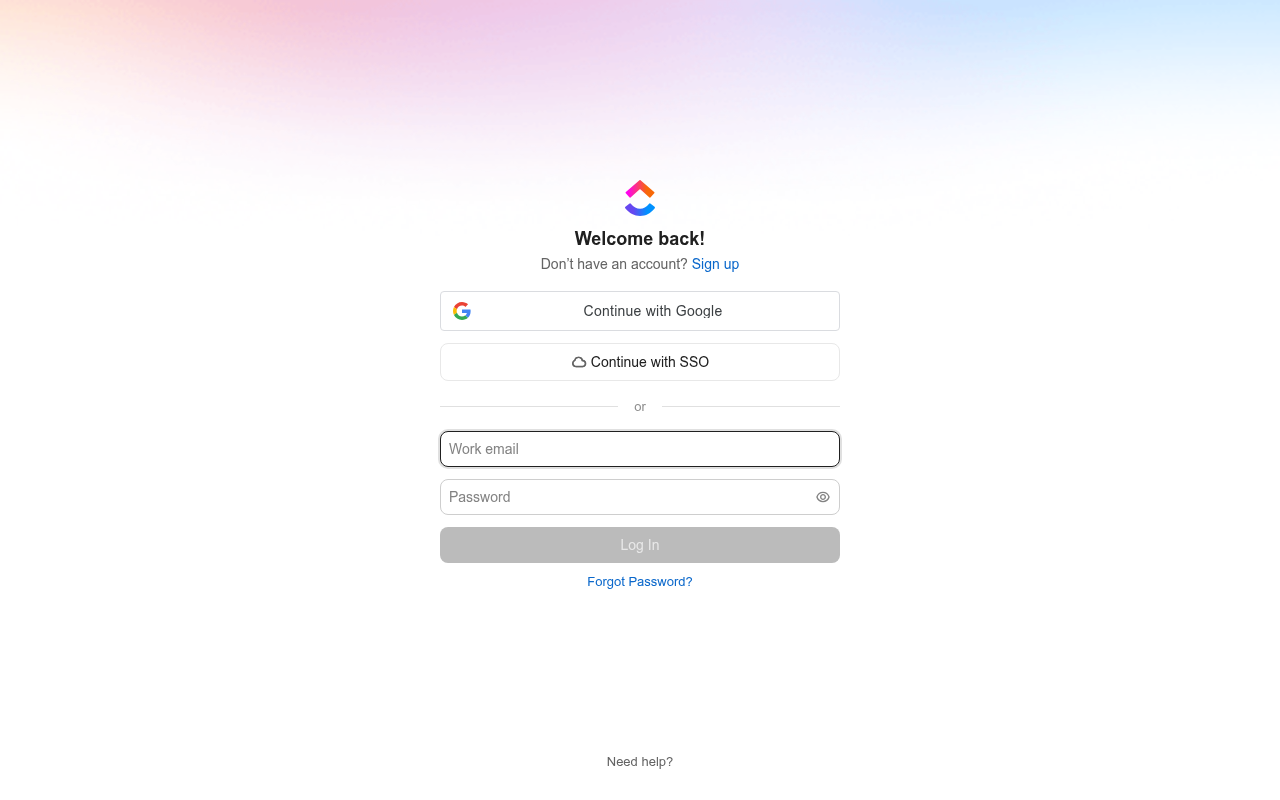
    Clicked “Login”

    I see a prominent Sign Up option, but it isn't among the links I can follow. I'll open Login as the available route that may also offer account creation.

    https://app.clickup.com/login

    Desktop screenshot at step 4
  5. Navigate · First-time visitor · 0.0 s

    Clicked “Sign up”

    I see a clear “Sign up” link, so I’ll follow it to create an account.

    https://app.clickup.com/signup

    Desktop screenshot at step 5
  6. Signup form · First-time visitor · 0.0 s

    Reached the signup form: 3 fields, Google sign-in

    First-time visitor: It looks super fast and clean, though there is no reminder on the page of what the tool actually does. Skeptical developer: Straightforward three-field form with standard Google auth, but I hope that 'Work email' field does not actively reject personal domain addresses.

    https://app.clickup.com/signup

    What the persona would type (test identity, never submitted)

    Full nameAvery Testwell
    Work emailavery.testwell@example.com
    Password••••••••••••
    Desktop screenshot at step 6Phone screenshot at step 6
  7. Stop · First-time visitor

    Stopped before submitting (next gate: email verification)

    SnagScout never types into your live form or presses submit, so no test accounts or leads end up in anyone’s system. The table above shows what the persona would have typed.

    https://app.clickup.com/signup

FAQ

How many steps does it take to sign up for ClickUp?

Our AI visitor reached the ClickUp signup form in 2 clicks from the homepage. The form showed 3 fields before the first gate (next: email verification).

Does ClickUp require a credit card to sign up?

No card was requested on the signup form in our run.

Can you sign up for ClickUp with email, or only with Google/SSO?

An email path was available, alongside Google sign-in.

Can an AI agent sign up for ClickUp?

ClickUp gets an Agent Signup Readiness grade of C. A captcha guards the form; agents are expected to stop there. The form only appears after JavaScript runs

Are you from ClickUp? We only test public pages and never submit forms. You can ask us to remove this teardown.