SnagScout
Menu
81/ 100

Minor friction

Signup Friction Score

trello.com

November 9, 2026 · First-time visitor, Skeptical developer · Full audit

Snags
5
Clicks to form
1
Form fields
1
Homepage load
0.0 s

Trello signup flow teardown. Tested on November 9, 2026 from https://trello.com/

5 snags in the Trello signup

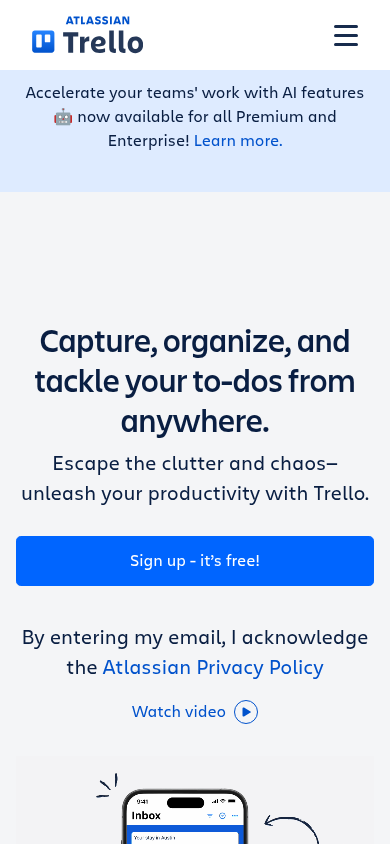
  1. #1MajorBroken mobile layoutFirst-time visitor · step 2

    Email input field is missing on mobile

    On mobile, the copy says 'By entering my email, I acknowledge...' directly under the CTA button, but there is no email text field visible above the button.

    Fix: Add the email input field back above 'Sign up - it’s free!' on mobile, or adjust the disclaimer to not say 'By entering my email'.

  2. #2MajorCaptcha wallAll personas · step 5

    Captcha on the signup form

    A captcha script or widget guards the form.

    Fix: Use invisible risk scoring and only show a challenge to suspicious traffic.

  3. #3MinorBroken mobile layoutSkeptical developer · step 3

    Mobile disclaimer references missing email field

    On mobile, the email input is removed and replaced by a direct CTA button, but the legal copy underneath still states 'By entering my email, I acknowledge the Atlassian Privacy Policy'.

    Fix: Change the mobile disclaimer text to 'By clicking Sign up, you agree to the Atlassian Privacy Policy' when no email input is present.

  4. #4MinorJargonSkeptical developer · step 3

    Vague productivity fluff in subhead

    The subhead 'Escape the clutter and chaos–unleash your productivity with Trello' provides zero technical or operational detail about how the tool works.

    Fix: Replace 'Escape the clutter and chaos–unleash your productivity with Trello' with concrete feature mechanics like 'Organize tasks into visual Kanban boards, lists, and cards with built-in automation.'

  5. #5MinorOtherSkeptical developer · step 5

    Email-first multi-step gating hides password and verification details

    Splitting account creation into a single email field conceals whether this requires a password, SSO delegation, or email code verification until after submission.

    Fix: Indicate upfront whether the next screen will ask for a password or send an authentication link.

Would your signup beat Trello’s 81?

Audit your own signup, free

The 5-second test

Each persona looked at your homepage (desktop and phone) for a moment and answered four questions. Answers are graded against your page’s own copy: clear if it says so above the fold, vague if they had to guess, missing if it is not there.

First-time visitor

clarity 8.8/10

“The headline clearly tells me it's a mobile-friendly task organizer, and jumping in seems fast and free.”

What does it do? clear
A productivity and to-do capture app that consolidates tasks from apps like Slack and email into an inbox.
Who is it for? vague
Teams or individuals wanting to organize tasks and workflows.
What does it cost? clear
Free tier available ('Sign up - it’s free!'), paid tiers not shown above the fold.
What’s the next step? clear
Sign up - it’s free!

Skeptical developer

clarity 7.5/10

“It feels like standard generic productivity marketing, but at least there is an immediate free signup and a visible pricing link in the header.”

What does it do? clear
A to-do and task management tool to organize team work.
Who is it for? vague
Anyone managing tasks or team projects, though the hero pitch is completely generic.
What does it cost? vague
Free tier advertised via CTA, paid tiers behind nav link without upfront numbers.
What’s the next step? clear
Pricing

Can an AI agent sign up for Trello?

C

Agent Signup Readiness

Can an AI agent (ChatGPT agent, Operator and the like) reach your account screen without a human?

  • No bot wall · Pages loaded for an automated browser (pass)
  • Signup form reachable · Found in 1 click(s) (pass)
  • No captcha · A captcha guards the form; agents are expected to stop there (fail)
  • Email signup available · An email or password path exists (pass)
  • No card up front · No card required to start (pass)
  • Not inbox-dependent · Password or link-based signup (pass)
  • Form in page HTML · The form only appears after JavaScript runs (fail)

Where the points went

How the score is computed
StartEvery run starts at 100100
First-impression clarity8.1/10 average on the 5-second test-5
Path to signup1 click from the homepage to the form0
Form length1 field before the first gate0
Snags4 distinct snag types-14
Homepage load0.0 s to load the homepage HTML0

The Trello signup, step by step

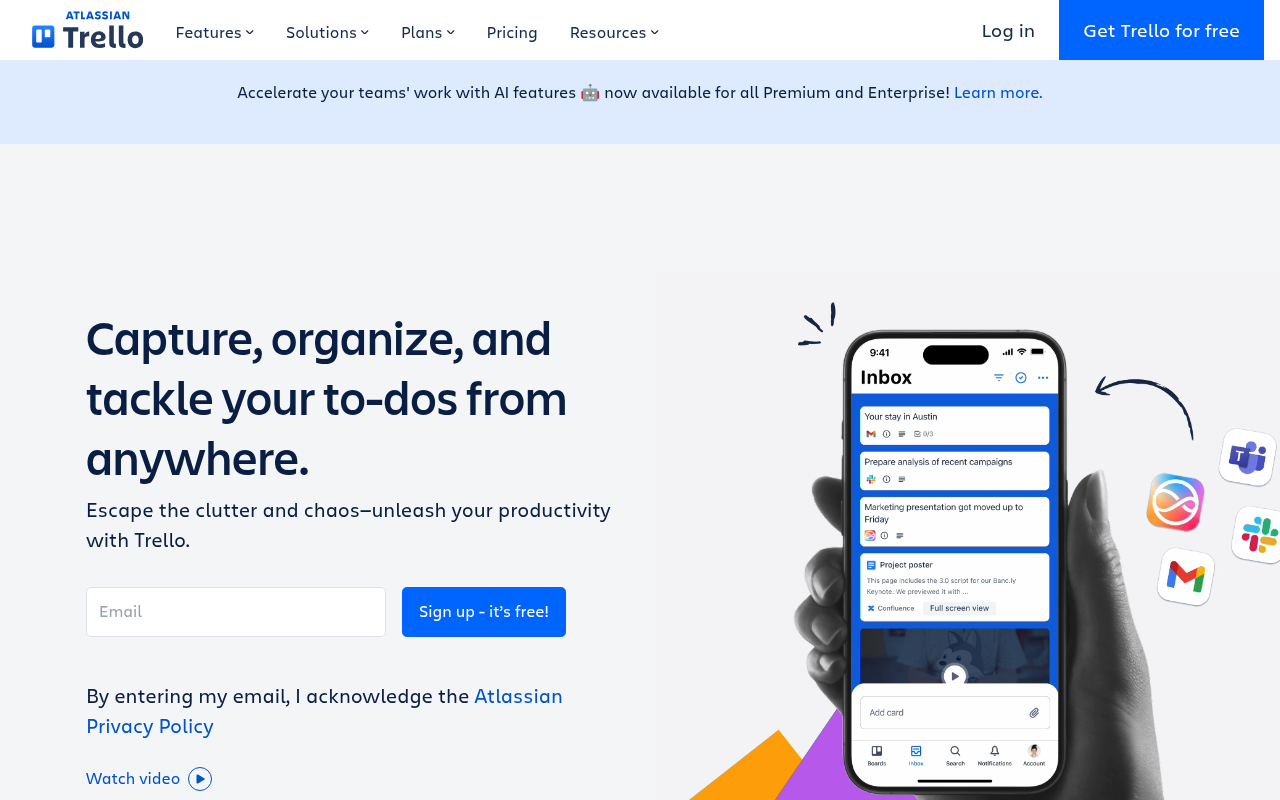
  1. Arrive · All personas · 0.0 s

    Opened trello.com

    The homepage HTML arrived in 0.0 s (HTTP 200).

    https://trello.com/

    Desktop screenshot at step 1Phone screenshot at step 1
  2. 5-second test · First-time visitor

    5-second test: 8.8/10 clarity

    The headline clearly tells me it's a mobile-friendly task organizer, and jumping in seems fast and free.

    https://trello.com/

  3. 5-second test · Skeptical developer

    5-second test: 7.5/10 clarity

    It feels like standard generic productivity marketing, but at least there is an immediate free signup and a visible pricing link in the header.

    https://trello.com/

  4. Navigate · First-time visitor · 0.0 s

    Clicked “Get Trello for free”

    I see a clear “Get Trello for free” button, so I’ll use that to create an account.

    https://id.atlassian.com/signup?application=trello--direct-signup&continue=https%3A%2F%2Ftrello.com%2Fauth%2Fatlassian%2Fcallback%3FcreateMember%3Dtrue&anonId=ddcece2c-814b-4cb7-b496-64f25eaebf58

    Desktop screenshot at step 4
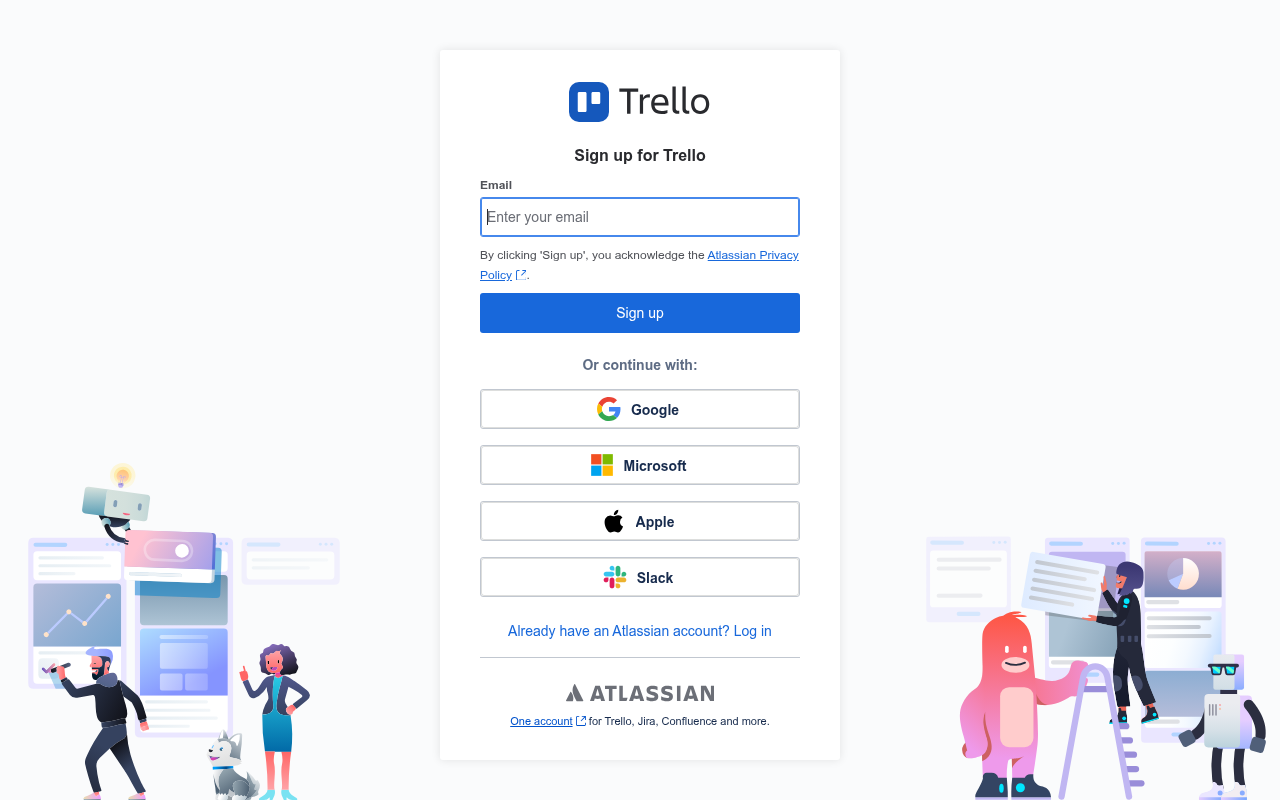
  5. Signup form · First-time visitor · 0.0 s

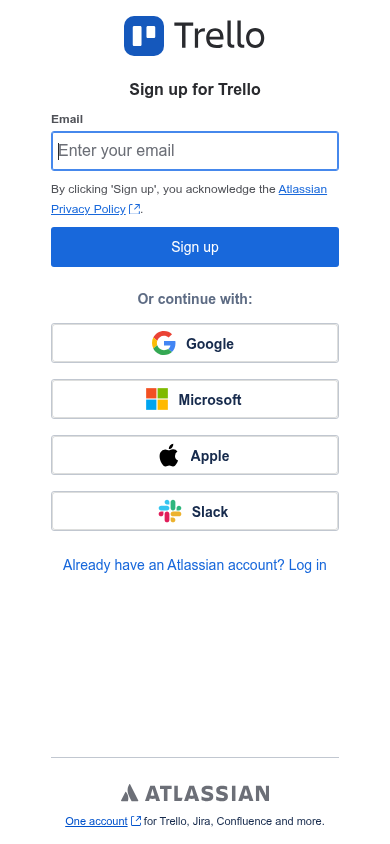
    Reached the signup form: 1 field, Google/Microsoft/Apple/Slack sign-in

    First-time visitor: Extremely simple and lightweight—I can just hit Google or type my email and be on my way in seconds. Skeptical developer: Standard Atlassian umbrella login; clean social SSO options, though I'd prefer seeing the full credential requirements upfront instead of a staged gate.

    https://id.atlassian.com/signup?application=trello--direct-signup&continue=https%3A%2F%2Ftrello.com%2Fauth%2Fatlassian%2Fcallback%3FcreateMember%3Dtrue&anonId=ddcece2c-814b-4cb7-b496-64f25eaebf58

    What the persona would type (test identity, never submitted)

    Emailavery.testwell@example.com
    Desktop screenshot at step 5Phone screenshot at step 5
  6. Stop · First-time visitor

    Stopped before submitting (next gate: password)

    SnagScout never types into your live form or presses submit, so no test accounts or leads end up in anyone’s system. The table above shows what the persona would have typed.

    https://id.atlassian.com/signup?application=trello--direct-signup&continue=https%3A%2F%2Ftrello.com%2Fauth%2Fatlassian%2Fcallback%3FcreateMember%3Dtrue&anonId=ddcece2c-814b-4cb7-b496-64f25eaebf58

FAQ

How many steps does it take to sign up for Trello?

Our AI visitor reached the Trello signup form in 1 click from the homepage. The form showed 1 field before the first gate (next: password).

Does Trello require a credit card to sign up?

No card was requested on the signup form in our run.

Can you sign up for Trello with email, or only with Google/SSO?

An email path was available, alongside Google, Microsoft, Apple, Slack sign-in.

Can an AI agent sign up for Trello?

Trello gets an Agent Signup Readiness grade of C. A captcha guards the form; agents are expected to stop there. The form only appears after JavaScript runs

Are you from Trello? We only test public pages and never submit forms. You can ask us to remove this teardown.