SnagScout
Menu
77/ 100

Minor friction

Signup Friction Score

cal.com

November 9, 2026 · First-time visitor, Skeptical developer · Full audit

Snags
5
Clicks to form
1
Form fields
0
Homepage load
0.2 s

Cal.com signup flow teardown. Tested on November 9, 2026 from https://cal.com/

5 snags in the Cal.com signup

  1. #1MajorUnclear value propFirst-time visitor · step 2

    Gimmicky headline slows down quick reading

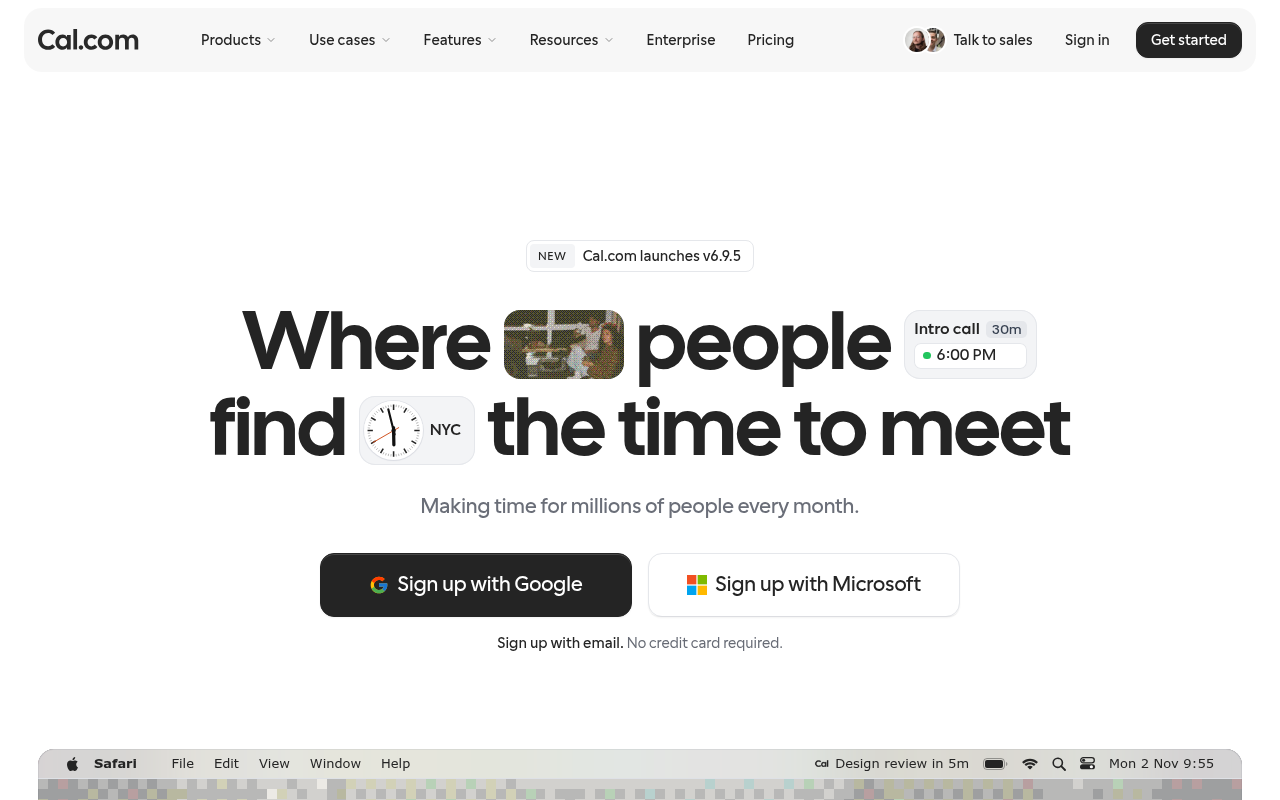
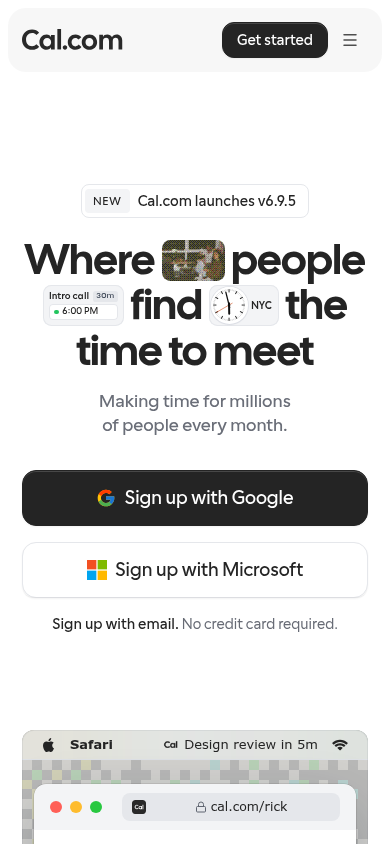
    The main headline embeds interactive pills, clocks, and images directly into the text ('Where [image] people [badge] find [clock] the time to meet'), causing awkward line breaks on mobile.

    Fix: Keep the headline text clean and plain, such as 'Where people find the time to meet', and move the UI pill examples below or alongside the title.

  2. #2MajorMissing pricingSkeptical developer · step 3

    No pricing or free tier visibility in hero

    It mentions 'No credit card required' but gives zero indication of free tier limits or paid plan costs without navigating away.

    Fix: Add a microcopy tag under the CTAs specifying 'Free forever tier available, paid plans from $X/mo'.

  3. #3MinorMissing pricingFirst-time visitor · step 2

    No pricing indication near the primary CTA

    The hero states 'No credit card required.' but does not clarify if there is a permanent free tier or just a time-limited trial.

    Fix: Update 'No credit card required.' to 'Free plan available. No credit card required.'

  4. #4MinorHidden CTASkeptical developer · step 3

    Email signup is demoted below SSO buttons

    Huge buttons push 'Sign up with Google' and 'Sign up with Microsoft', while standard email signup is relegated to a subtle text link.

    Fix: Give 'Sign up with email.' equal visual button weight instead of prioritizing third-party OAuth.

  5. #5MinorOtherSkeptical developer · step 5

    Missing developer-friendly OAuth options

    For an open-source and developer-heavy tool boasting logos like Vercel and Supabase, there is no GitHub or GitLab SSO button.

    Fix: Add a 'Continue with GitHub' SSO option alongside Google and Microsoft.

Would your signup beat Cal.com’s 77?

Audit your own signup, free

The 5-second test

Each persona looked at your homepage (desktop and phone) for a moment and answered four questions. Answers are graded against your page’s own copy: clear if it says so above the fold, vague if they had to guess, missing if it is not there.

First-time visitor

clarity 6.3/10

“It looks like a sleek Calendly alternative, but the busy headline badges slow down reading and it does not immediately tell me what sets it apart.”

What does it do? clear
An online scheduling and booking platform to set up calendar meetings without back-and-forth emails.
Who is it for? vague
Anyone scheduling meetings, though the hero text only vaguely refers to 'people' and 'millions of people'.
What does it cost? missing
not shown
What’s the next step? clear
'Sign up with Google'

Skeptical developer

clarity 6.3/10

“Looks like another Calendly alternative pushing Google/Microsoft SSO, completely hiding whether it has developer APIs or an open-source tier above the fold.”

What does it do? clear
An online calendar scheduling tool to book meetings.
Who is it for? vague
Anyone scheduling meetings, though the hero vaguely says 'millions of people'.
What does it cost? missing
not shown
What’s the next step? clear
Pricing

Can an AI agent sign up for Cal.com?

A

Agent Signup Readiness

Can an AI agent (ChatGPT agent, Operator and the like) reach your account screen without a human?

  • No bot wall · Pages loaded for an automated browser (pass)
  • Signup form reachable · Found in 1 click(s) (pass)
  • No captcha · No captcha detected on the form (pass)
  • Email signup available · An email or password path exists (pass)
  • No card up front · No card required to start (pass)
  • Not inbox-dependent · Password or link-based signup (pass)
  • Form in page HTML · The form only appears after JavaScript runs (fail)

Where the points went

How the score is computed
StartEvery run starts at 100100
First-impression clarity6.3/10 average on the 5-second test-9
Path to signup1 click from the homepage to the form0
Form length0 fields before the first gate0
Snags4 distinct snag types-14
Homepage load0.2 s to load the homepage HTML0

The Cal.com signup, step by step

  1. Arrive · All personas · 0.2 s

    Opened cal.com

    The homepage HTML arrived in 0.2 s (HTTP 200).

    https://cal.com/

    Desktop screenshot at step 1Phone screenshot at step 1
  2. 5-second test · First-time visitor

    5-second test: 6.3/10 clarity

    It looks like a sleek Calendly alternative, but the busy headline badges slow down reading and it does not immediately tell me what sets it apart.

    https://cal.com/

  3. 5-second test · Skeptical developer

    5-second test: 6.3/10 clarity

    Looks like another Calendly alternative pushing Google/Microsoft SSO, completely hiding whether it has developer APIs or an open-source tier above the fold.

    https://cal.com/

  4. Navigate · First-time visitor · 0.3 s

    Clicked “Get started”

    I see a clear 'Get started' option and want to create an account.

    https://app.cal.com/signup

    Desktop screenshot at step 4
  5. Signup form · First-time visitor · 0.3 s

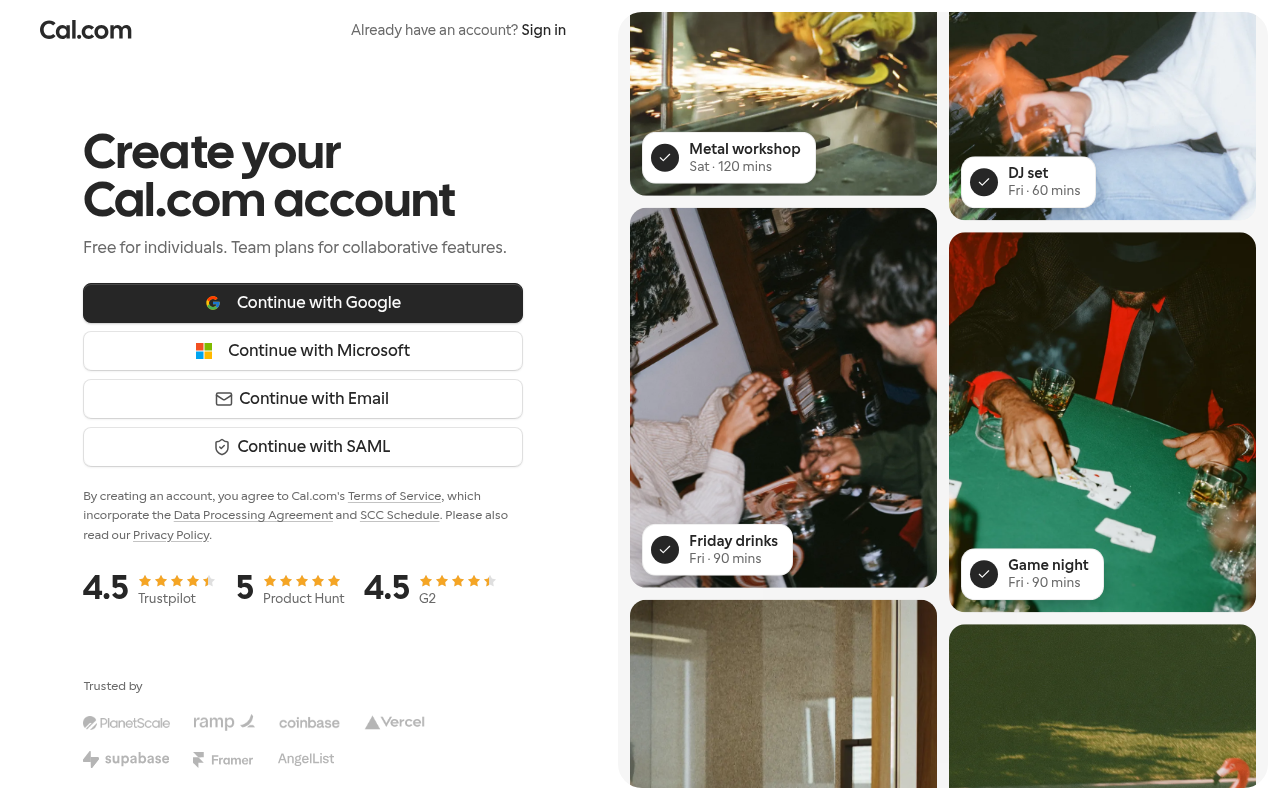
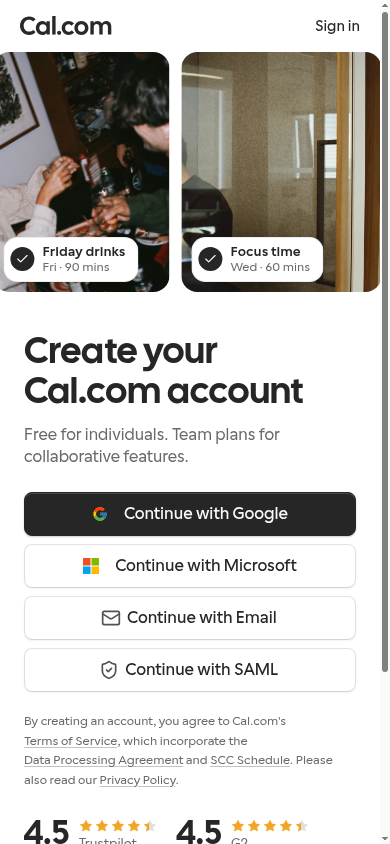
    Reached the signup form: 0 fields, Google/Microsoft/SAML sign-in

    First-time visitor: Seeing 'Free for individuals' right above the one-click Google button makes getting started completely frictionless. Skeptical developer: Seeing Vercel and Supabase in the trust badges establishes immediate credibility, though having to click 'Continue with Email' to see standard account fields adds an extra step.

    https://app.cal.com/signup

    Desktop screenshot at step 5Phone screenshot at step 5
  6. Stop · First-time visitor

    Stopped before submitting (next gate: sso)

    SnagScout never presses a sign-in button or submits a form, so no test accounts or leads end up in anyone’s system.

    https://app.cal.com/signup

FAQ

How many steps does it take to sign up for Cal.com?

Our AI visitor reached the Cal.com signup form in 1 click from the homepage. The form showed 0 fields before the first gate (next: sso).

Does Cal.com require a credit card to sign up?

No card was requested on the signup form in our run.

Can you sign up for Cal.com with email, or only with Google/SSO?

An email path was available, alongside Google, Microsoft, SAML sign-in.

Can an AI agent sign up for Cal.com?

Cal.com gets an Agent Signup Readiness grade of A. The form only appears after JavaScript runs

Are you from Cal.com? We only test public pages and never submit forms. You can ask us to remove this teardown.