SnagScout
Menu
88/ 100

Smooth

Signup Friction Score

calendly.com

November 9, 2026 · First-time visitor, Skeptical developer · Full audit

Snags
4
Clicks to form
1
Form fields
1
Homepage load
0.1 s

Calendly signup flow teardown. Tested on November 9, 2026 from https://calendly.com/

4 snags in the Calendly signup

  1. #1MinorMissing pricingFirst-time visitor · step 2

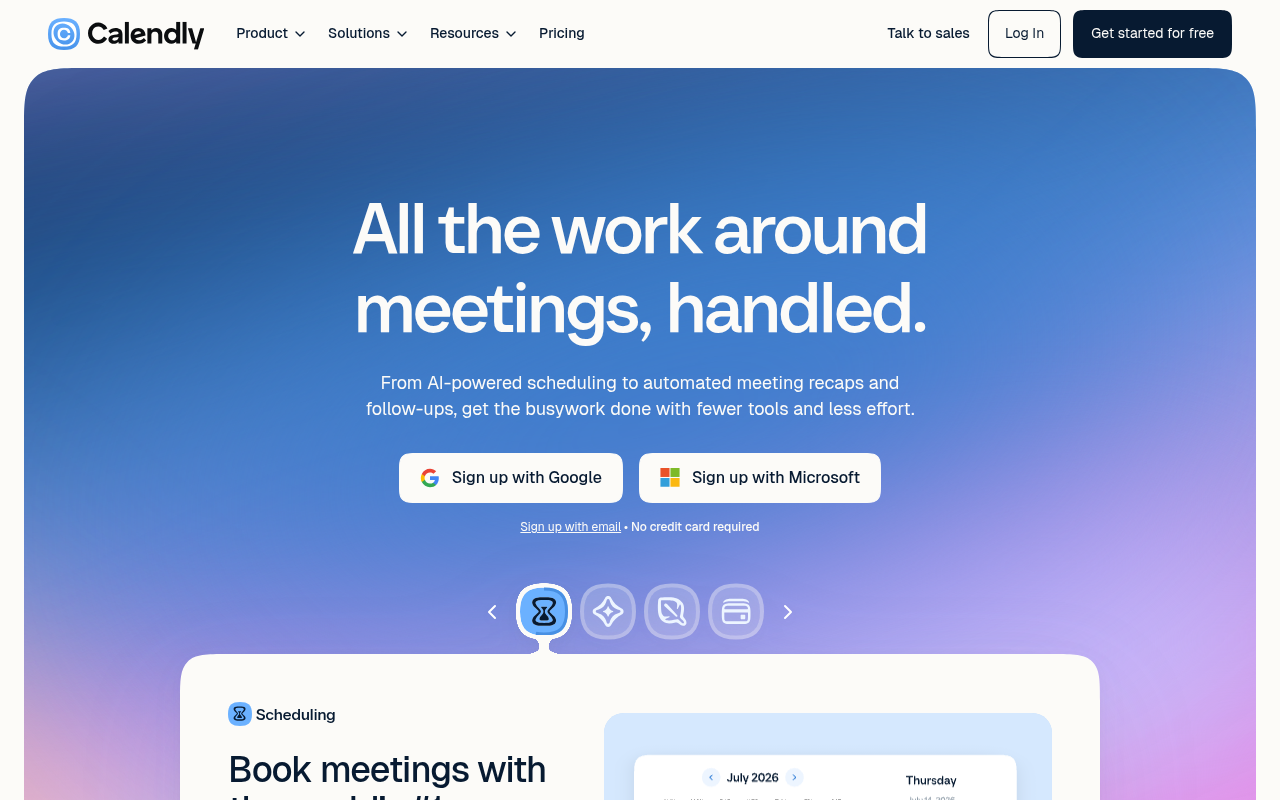
    No pricing details above fold

    The hero indicates 'Get started for free' and 'No credit card required', but gives no sense of plan tiers or limits without clicking away.

    Fix: Add brief text below the signup buttons such as 'Free plan available • Paid plans start at $10/mo'.

  2. #2MinorJargonSkeptical developer · step 3

    Vague AI marketing pitch

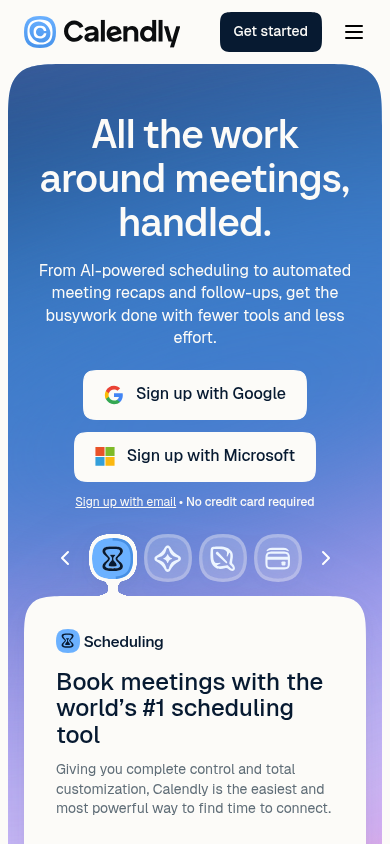
    The headline 'All the work around meetings, handled.' paired with 'AI-powered scheduling' reads like generic corporate filler rather than stating product mechanics.

    Fix: Change the headline to 'Automated scheduling links, calendar sync, and meeting recaps.'

  3. #3MinorOtherSkeptical developer · step 3

    OAuth prioritized over email signup

    Giant Google and Microsoft buttons dominate the fold while 'Sign up with email' is demoted to tiny, low-contrast text below them.

    Fix: Provide a standard email input field or give 'Sign up with email' standard button styling alongside OAuth.

  4. #4MinorOtherSkeptical developer · step 5

    Ambiguous free tier vs 14-day trial messaging

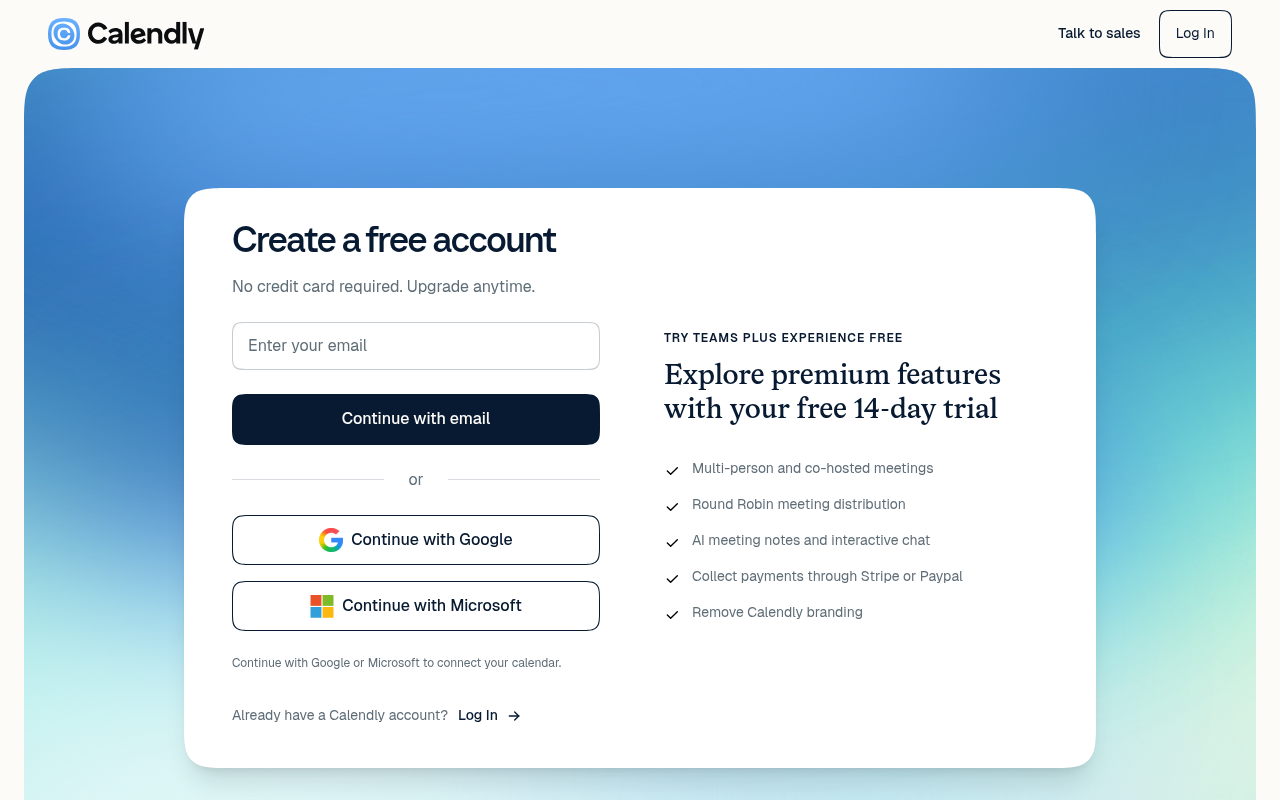
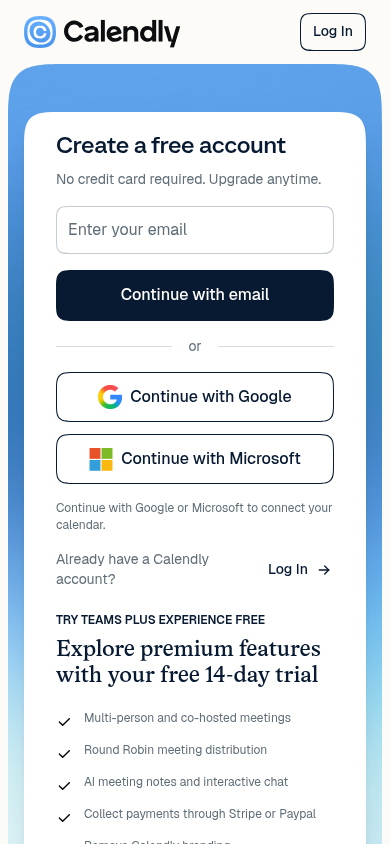
    The main header says 'Create a free account' while the supporting copy pushes a 'free 14-day trial' of Teams Plus, leaving it ambiguous whether the account reverts to a permanent free tier or expires after two weeks.

    Fix: Add a small note clarifying that accounts automatically revert to the free tier after the 14-day trial without needing cancellation.

Would your signup beat Calendly’s 88?

Audit your own signup, free

The 5-second test

Each persona looked at your homepage (desktop and phone) for a moment and answered four questions. Answers are graded against your page’s own copy: clear if it says so above the fold, vague if they had to guess, missing if it is not there.

First-time visitor

clarity 7.5/10

“I immediately understand it is an automated meeting scheduling tool with free signup, though I cannot see what paid plans cost without leaving the page.”

What does it do? clear
An AI-powered meeting scheduler that also handles automated meeting recaps and follow-ups
Who is it for? vague
Anyone scheduling meetings, though the hero does not specify a target team or company size
What does it cost? vague
Free tier mentioned ('No credit card required'), but actual plan pricing is not shown
What’s the next step? clear
Sign up with Google

Skeptical developer

clarity 7.5/10

“It is standard scheduling software wrapping itself in AI buzzwords, but at least there is a visible Pricing link and an email signup option alongside the big OAuth buttons.”

What does it do? clear
automated meeting scheduling, calendar booking, and meeting recap notes
Who is it for? vague
anyone managing calendars, though no specific audience is mentioned in the hero
What does it cost? vague
not shown
What’s the next step? clear
Pricing

Can an AI agent sign up for Calendly?

A

Agent Signup Readiness

Can an AI agent (ChatGPT agent, Operator and the like) reach your account screen without a human?

  • No bot wall · Pages loaded for an automated browser (pass)
  • Signup form reachable · Found in 1 click(s) (pass)
  • No captcha · No captcha detected on the form (pass)
  • Email signup available · An email or password path exists (pass)
  • No card up front · No card required to start (pass)
  • Not inbox-dependent · Password or link-based signup (pass)
  • Form in page HTML · Form fields are present in the HTML (pass)

Where the points went

How the score is computed
StartEvery run starts at 100100
First-impression clarity7.5/10 average on the 5-second test-6
Path to signup1 click from the homepage to the form0
Form length1 field before the first gate0
Snags3 distinct snag types-6
Homepage load0.1 s to load the homepage HTML0

The Calendly signup, step by step

  1. Arrive · All personas · 0.1 s

    Opened calendly.com

    The homepage HTML arrived in 0.1 s (HTTP 200).

    https://calendly.com/

    Desktop screenshot at step 1Phone screenshot at step 1
  2. 5-second test · First-time visitor

    5-second test: 7.5/10 clarity

    I immediately understand it is an automated meeting scheduling tool with free signup, though I cannot see what paid plans cost without leaving the page.

    https://calendly.com/

  3. 5-second test · Skeptical developer

    5-second test: 7.5/10 clarity

    It is standard scheduling software wrapping itself in AI buzzwords, but at least there is a visible Pricing link and an email signup option alongside the big OAuth buttons.

    https://calendly.com/

  4. Navigate · First-time visitor · 0.1 s

    Clicked “Get startedGet started for free”

    I see a clear 'Get started for free' option, so I’ll use that to create an account.

    https://calendly.com/signup

    Desktop screenshot at step 4
  5. Signup form · First-time visitor · 0.1 s

    Reached the signup form: 1 field, Google/Microsoft sign-in

    First-time visitor: Super clear and minimal—I can just drop my email or click Google and get started immediately with no credit card hassle. Skeptical developer: Clean signup flow without forced sales calls, but I want clearer confirmation of whether this defaults to a perpetual free tier after the trial.

    https://calendly.com/signup

    What the persona would type (test identity, never submitted)

    Enter your emailavery.testwell@example.com
    Desktop screenshot at step 5Phone screenshot at step 5
  6. Stop · First-time visitor

    Stopped before submitting (next gate: password)

    SnagScout never types into your live form or presses submit, so no test accounts or leads end up in anyone’s system. The table above shows what the persona would have typed.

    https://calendly.com/signup

FAQ

How many steps does it take to sign up for Calendly?

Our AI visitor reached the Calendly signup form in 1 click from the homepage. The form showed 1 field before the first gate (next: password).

Does Calendly require a credit card to sign up?

No card was requested on the signup form in our run.

Can you sign up for Calendly with email, or only with Google/SSO?

An email path was available, alongside Google, Microsoft sign-in.

Can an AI agent sign up for Calendly?

Calendly gets an Agent Signup Readiness grade of A. No blockers were found for an autonomous agent.

Are you from Calendly? We only test public pages and never submit forms. You can ask us to remove this teardown.