SnagScout
Menu
76/ 100

Minor friction

Signup Friction Score

savvycal.com

November 9, 2026 · First-time visitor, Skeptical developer · Full audit

Snags
5
Clicks to form
1
Form fields
4
Homepage load
0.0 s

SavvyCal signup flow teardown. Tested on November 9, 2026 from https://savvycal.com/

5 snags in the SavvyCal signup

  1. #1MajorMissing pricingFirst-time visitor · step 2

    Pricing is hidden behind a subpage link

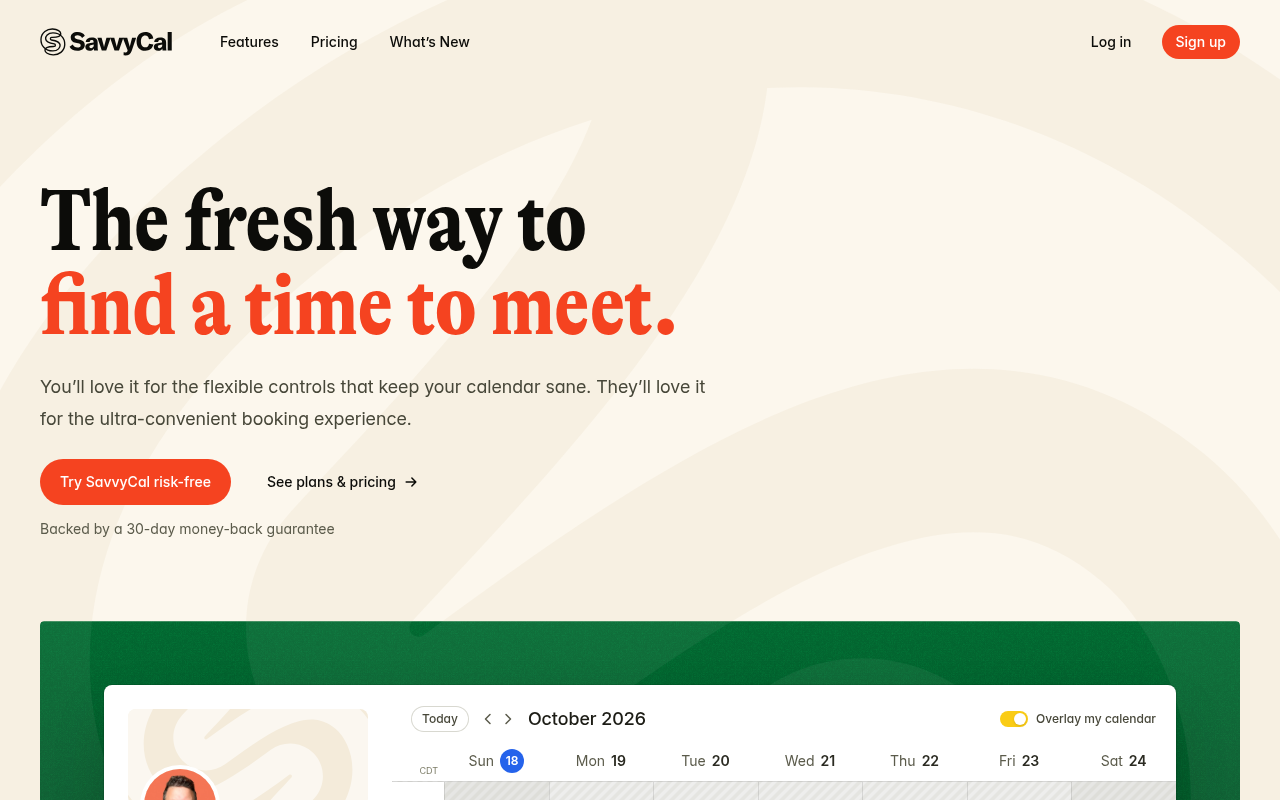
    The hero mentions 'Try SavvyCal risk-free' and 'Backed by a 30-day money-back guarantee', but doesn't disclose whether there is a free tier or what paid plans start at.

    Fix: Add a brief price anchor beneath the button, such as changing 'Backed by a 30-day money-back guarantee' to 'Plans start at $12/mo · 30-day money-back guarantee'.

  2. #2MajorMissing pricingSkeptical developer · step 3

    Pricing and tier structure hidden behind a click

    The hero relies on 'Try SavvyCal risk-free' and 'Backed by a 30-day money-back guarantee' without revealing starting prices or whether a free plan exists.

    Fix: Replace 'Backed by a 30-day money-back guarantee' with base pricing details such as 'Plans from $X/month or free trial, no credit card required'.

  3. #3MajorCaptcha wallFirst-time visitor · step 5

    Visible hCaptcha adds friction to the signup form

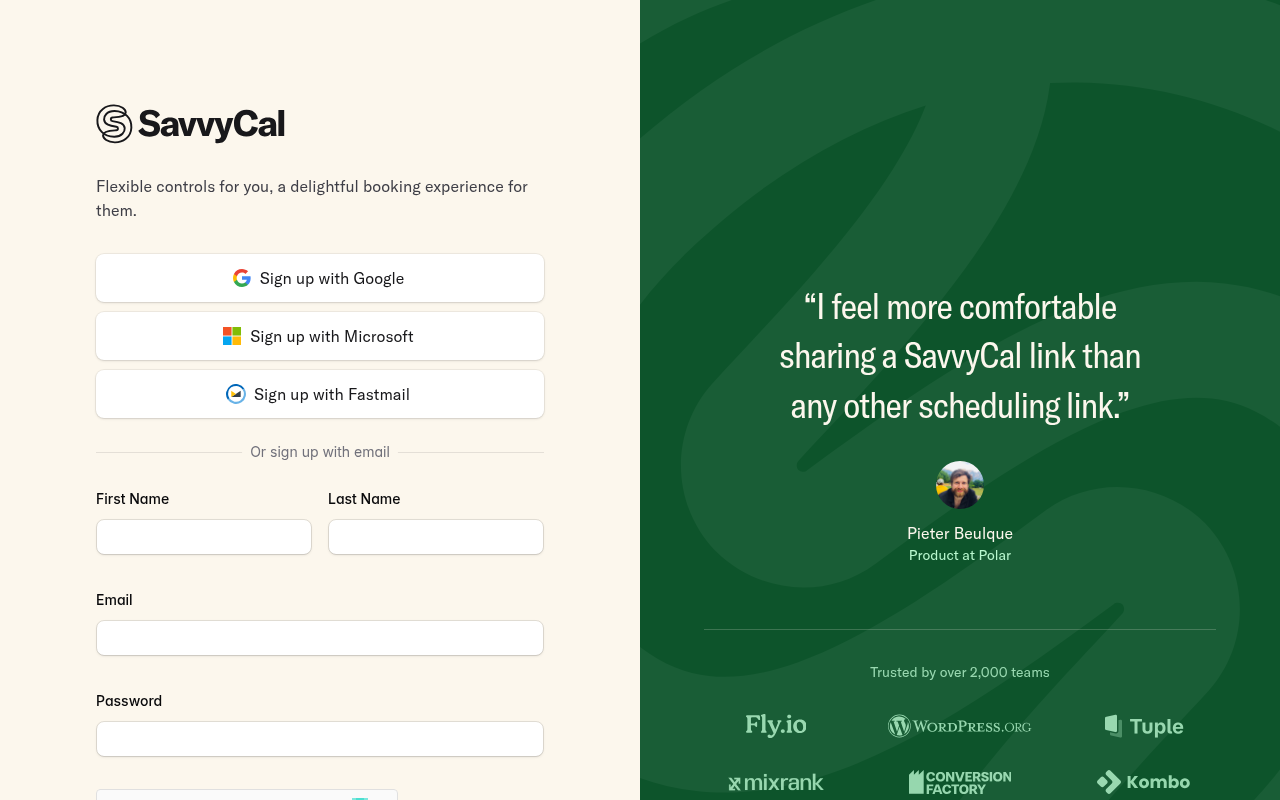
    Displaying a mandatory hCaptcha checkbox directly above the submit button adds unnecessary friction and visual clutter for legitimate users.

    Fix: Switch to an invisible captcha or evaluate risk server-side before presenting an explicit challenge.

  4. #4MajorCaptcha wallAll personas · step 5

    Captcha on the signup form

    A captcha script or widget guards the form.

    Fix: Use invisible risk scoring and only show a challenge to suspicious traffic.

  5. #5MinorToo many fieldsSkeptical developer · step 5

    Separate first and last name fields

    Splitting name into first and last name creates an extra unnecessary field during initial registration.

    Fix: Consolidate into a single 'Full name' field or collect name details during onboarding.

Would your signup beat SavvyCal’s 76?

Audit your own signup, free

The 5-second test

Each persona looked at your homepage (desktop and phone) for a moment and answered four questions. Answers are graded against your page’s own copy: clear if it says so above the fold, vague if they had to guess, missing if it is not there.

First-time visitor

clarity 6.3/10

“It looks like a clean, polished alternative to Calendly, but I cannot tell what it costs without clicking away.”

What does it do? clear
A meeting scheduling tool that lets people book time on your calendar with an interactive calendar overlay view.
Who is it for? vague
Anyone who books meetings with clients or teammates, though no specific target role is stated.
What does it cost? missing
not shown
What’s the next step? clear
Try SavvyCal risk-free

Skeptical developer

clarity 6.3/10

“Looks like a cleaner Calendly clone with calendar overlaying, but 'risk-free' paired with a money-back guarantee usually signals there is no free tier.”

What does it do? clear
A scheduling tool to book meetings without back-and-forth emails, featuring calendar overlays.
Who is it for? vague
Professionals or teams who schedule external meetings.
What does it cost? missing
not shown
What’s the next step? clear
See plans & pricing

Can an AI agent sign up for SavvyCal?

C

Agent Signup Readiness

Can an AI agent (ChatGPT agent, Operator and the like) reach your account screen without a human?

  • No bot wall · Pages loaded for an automated browser (pass)
  • Signup form reachable · Found in 1 click(s) (pass)
  • No captcha · A captcha guards the form; agents are expected to stop there (fail)
  • Email signup available · An email or password path exists (pass)
  • No card up front · No card required to start (pass)
  • Not inbox-dependent · Password or link-based signup (pass)
  • Form in page HTML · Form fields are present in the HTML (pass)

Where the points went

How the score is computed
StartEvery run starts at 100100
First-impression clarity6.3/10 average on the 5-second test-9
Path to signup1 click from the homepage to the form0
Form length4 fields before the first gate-3
Snags3 distinct snag types-12
Homepage load0.0 s to load the homepage HTML0

The SavvyCal signup, step by step

  1. Arrive · All personas · 0.0 s

    Opened savvycal.com

    The homepage HTML arrived in 0.0 s (HTTP 200).

    https://savvycal.com/

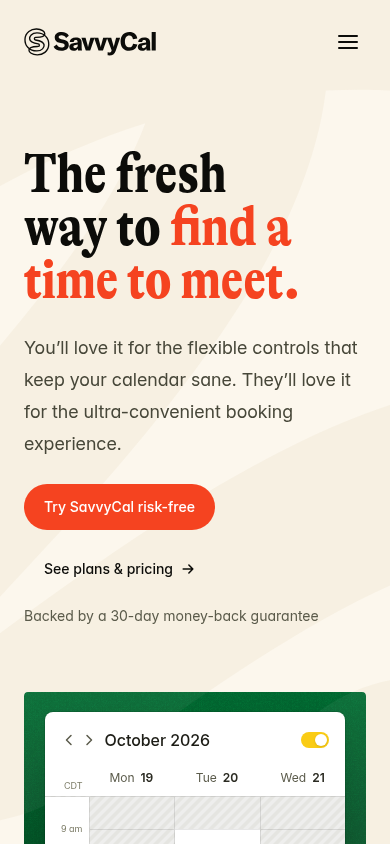
    Desktop screenshot at step 1Phone screenshot at step 1
  2. 5-second test · First-time visitor

    5-second test: 6.3/10 clarity

    It looks like a clean, polished alternative to Calendly, but I cannot tell what it costs without clicking away.

    https://savvycal.com/

  3. 5-second test · Skeptical developer

    5-second test: 6.3/10 clarity

    Looks like a cleaner Calendly clone with calendar overlaying, but 'risk-free' paired with a money-back guarantee usually signals there is no free tier.

    https://savvycal.com/

  4. Navigate · First-time visitor · 0.0 s

    Clicked “Sign up”

    I see a clear 'Sign up' link and a prominent 'Try SavvyCal risk-free' call to action, so I’d click sign up to create an account.

    https://savvycal.com/signup

    Desktop screenshot at step 4
  5. Signup form · First-time visitor · 0.0 s

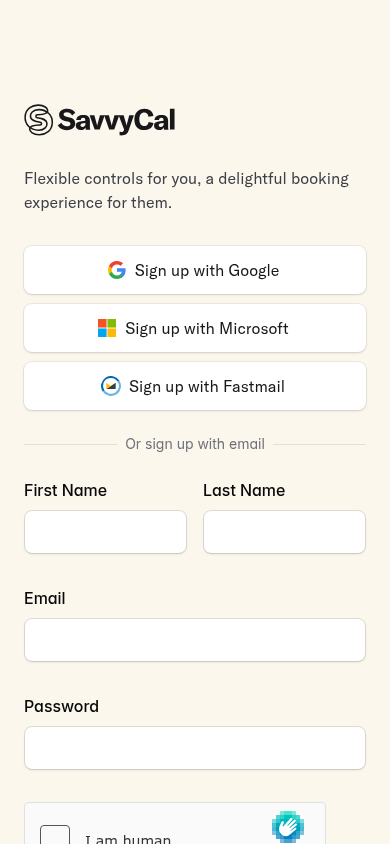
    Reached the signup form: 4 fields, Google/Microsoft/Fastmail sign-in

    First-time visitor: The page looks super clean and modern, but having to check an hCaptcha box before even submitting feels a bit tedious. Skeptical developer: Offering Fastmail alongside Google and Microsoft is a rare, developer-friendly touch, though having a manual hCaptcha on signup is annoying.

    https://savvycal.com/signup

    What the persona would type (test identity, never submitted)

    First NameAvery Testwell
    Last NameAvery Testwell
    Emailavery.testwell@example.com
    Password••••••••••••
    Desktop screenshot at step 5Phone screenshot at step 5
  6. Stop · First-time visitor

    Stopped before submitting (next gate: captcha)

    SnagScout never types into your live form or presses submit, so no test accounts or leads end up in anyone’s system. The table above shows what the persona would have typed.

    https://savvycal.com/signup

FAQ

How many steps does it take to sign up for SavvyCal?

Our AI visitor reached the SavvyCal signup form in 1 click from the homepage. The form showed 4 fields before the first gate (next: captcha).

Does SavvyCal require a credit card to sign up?

No card was requested on the signup form in our run.

Can you sign up for SavvyCal with email, or only with Google/SSO?

An email path was available, alongside Google, Microsoft, Fastmail sign-in.

Can an AI agent sign up for SavvyCal?

SavvyCal gets an Agent Signup Readiness grade of C. A captcha guards the form; agents are expected to stop there

Are you from SavvyCal? We only test public pages and never submit forms. You can ask us to remove this teardown.